Transit customer service software
Everything your agency needs to serve riders better.
Feedback handles complaints, commendations, inquiries, and lost-and-found. It gives you a branded rider portal, one queue for every channel, and contact center integration.
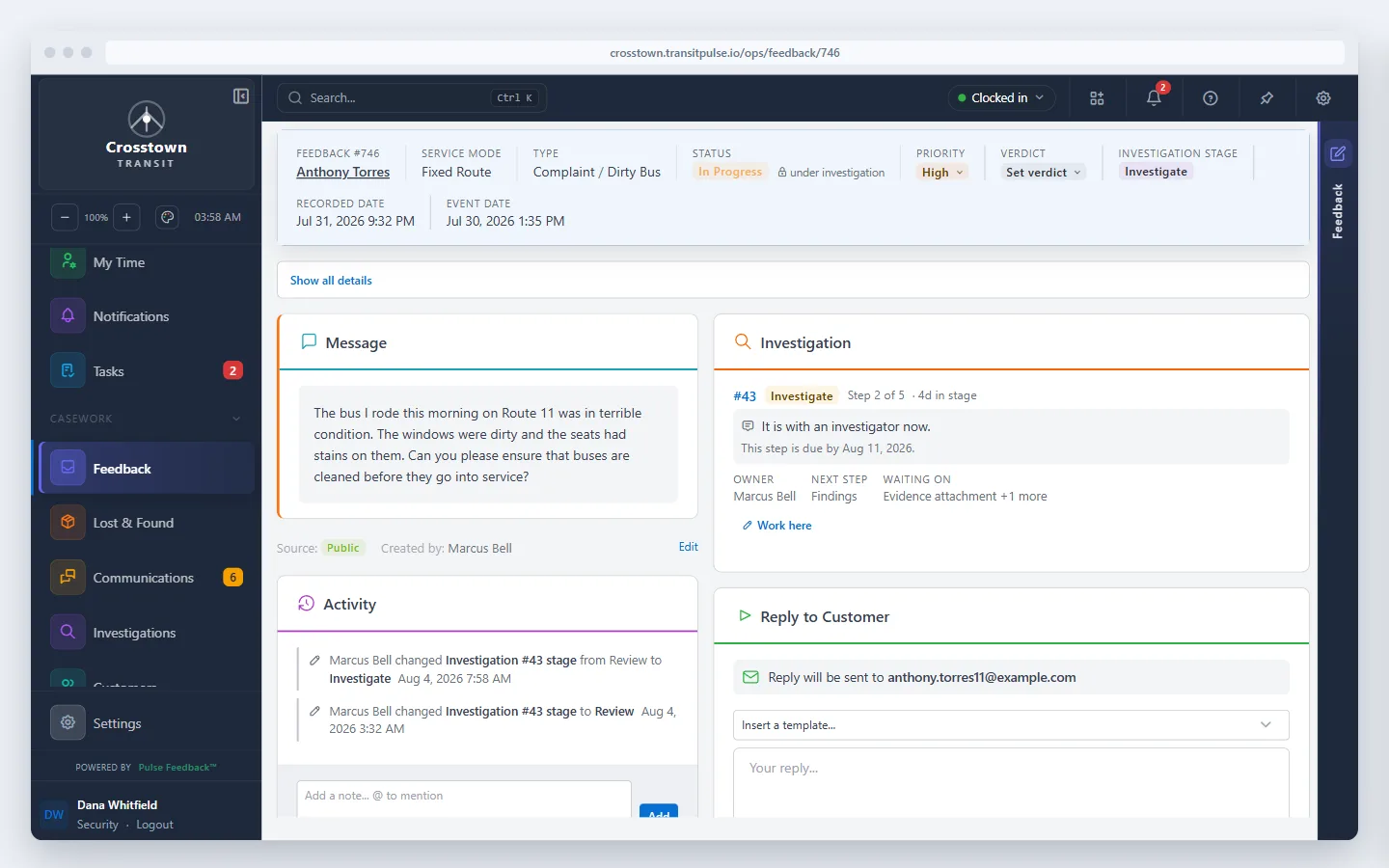
One complaint, start to finish
Follow one missed-trip complaint
A rider emails about a bus that never came. Watch the complaint go from your inbox to an investigator, through its deadlines, and back to the rider with an answer.
Narration: A rider waited 25 minutes for the 8:05. It never came. Their email lands in one queue, beside every call, post, and review. One click turns it into a case. Your rules send it to the right investigator, and the clock starts. The investigator finds the cause: the bus left the garage late, and no one covered the trip. As the case moves forward, Feedback tracks its deadlines, helping your team stay on top of the response. Then the rider hears back, with what went wrong and what you changed.
See Feedback in action
What riders see
Each agency gets a public website with its own name, colors, and subdomain. Riders do not need an account or an app to use it.
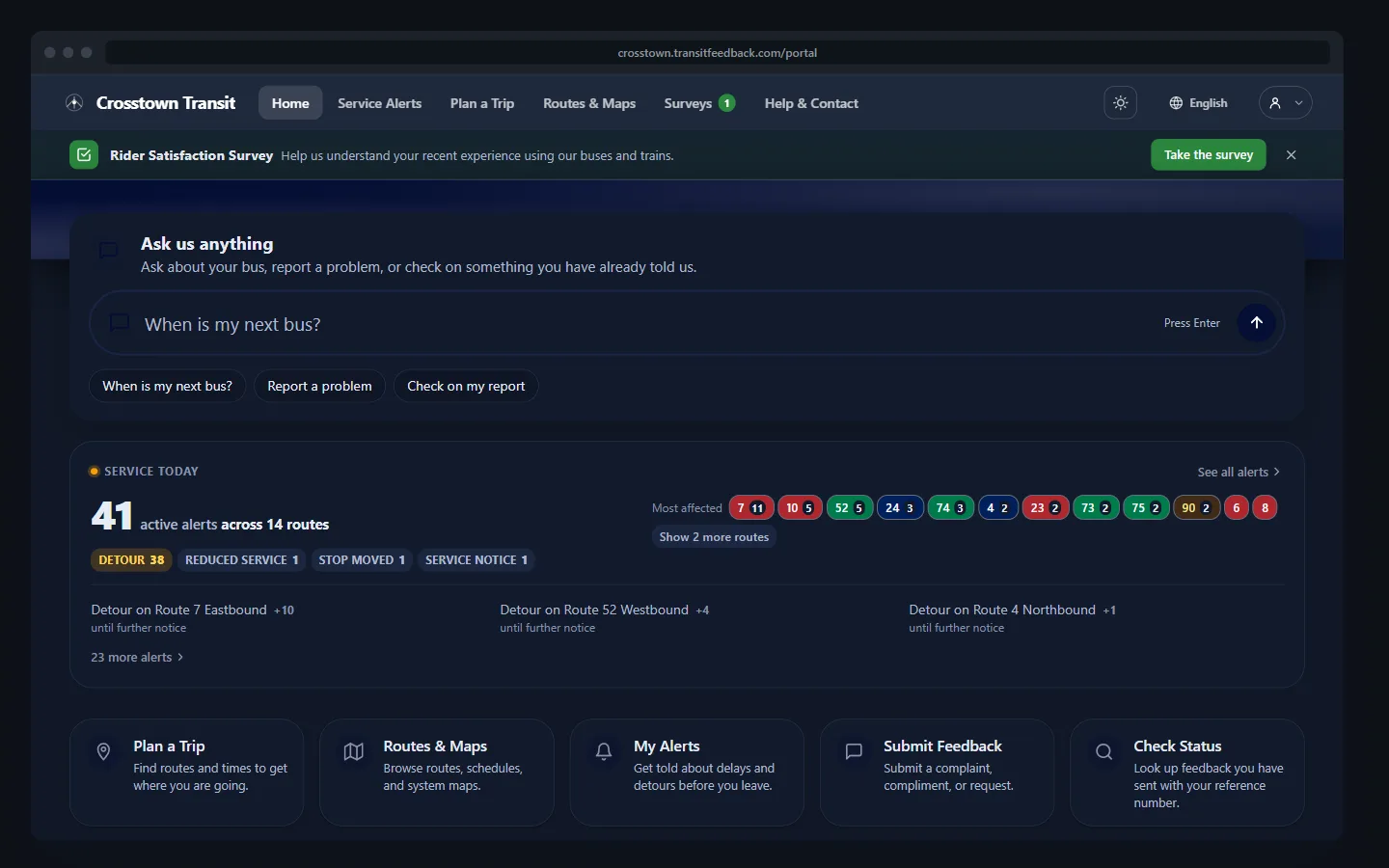
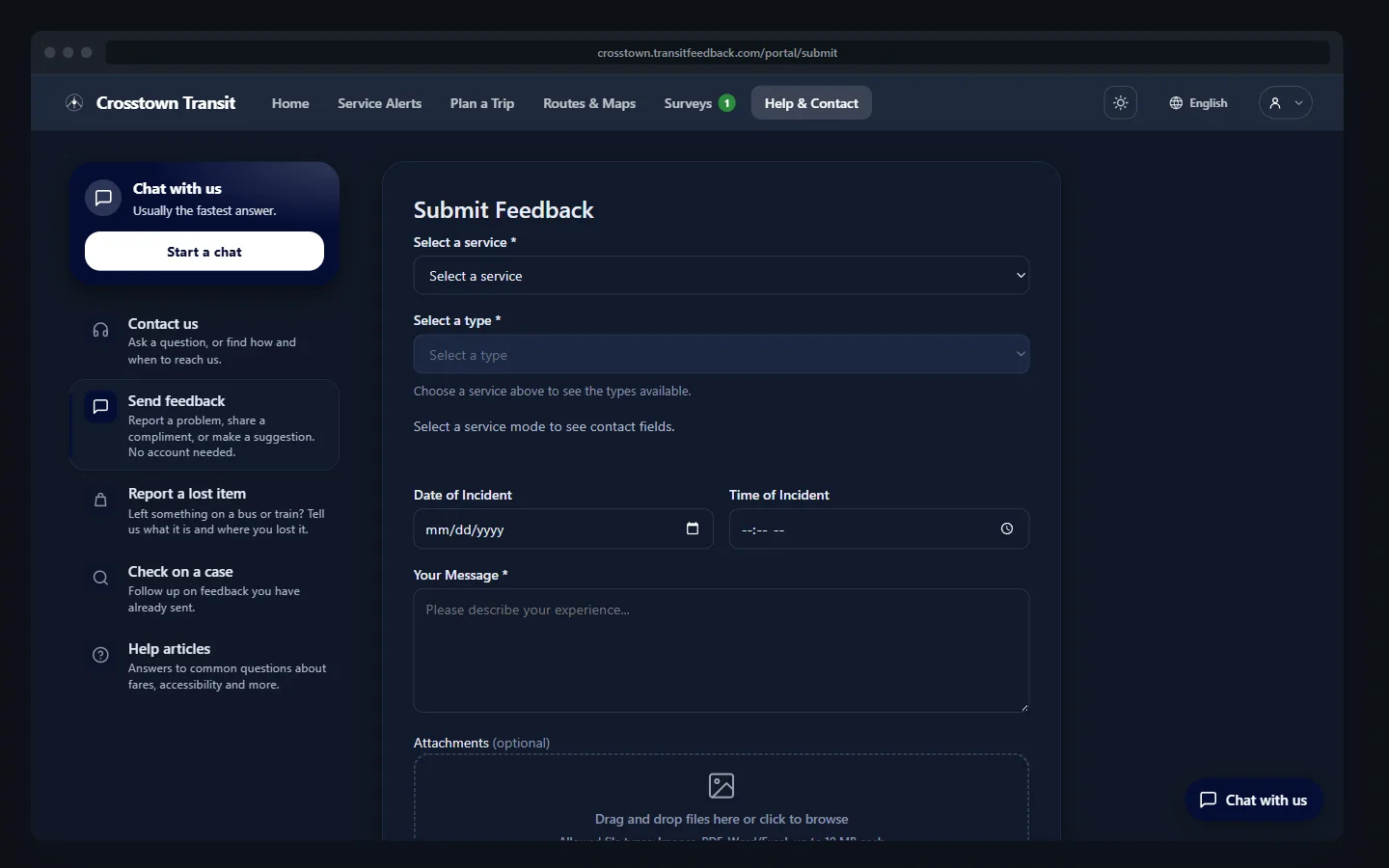
- Multilingual, so riders can use it in their own language
- Meets WCAG contrast requirements in light and dark mode
- Service alerts come from your GTFS feed, so nobody posts them twice
- Live chat answered by the same agents who take calls. No separate chat team
What your team sees
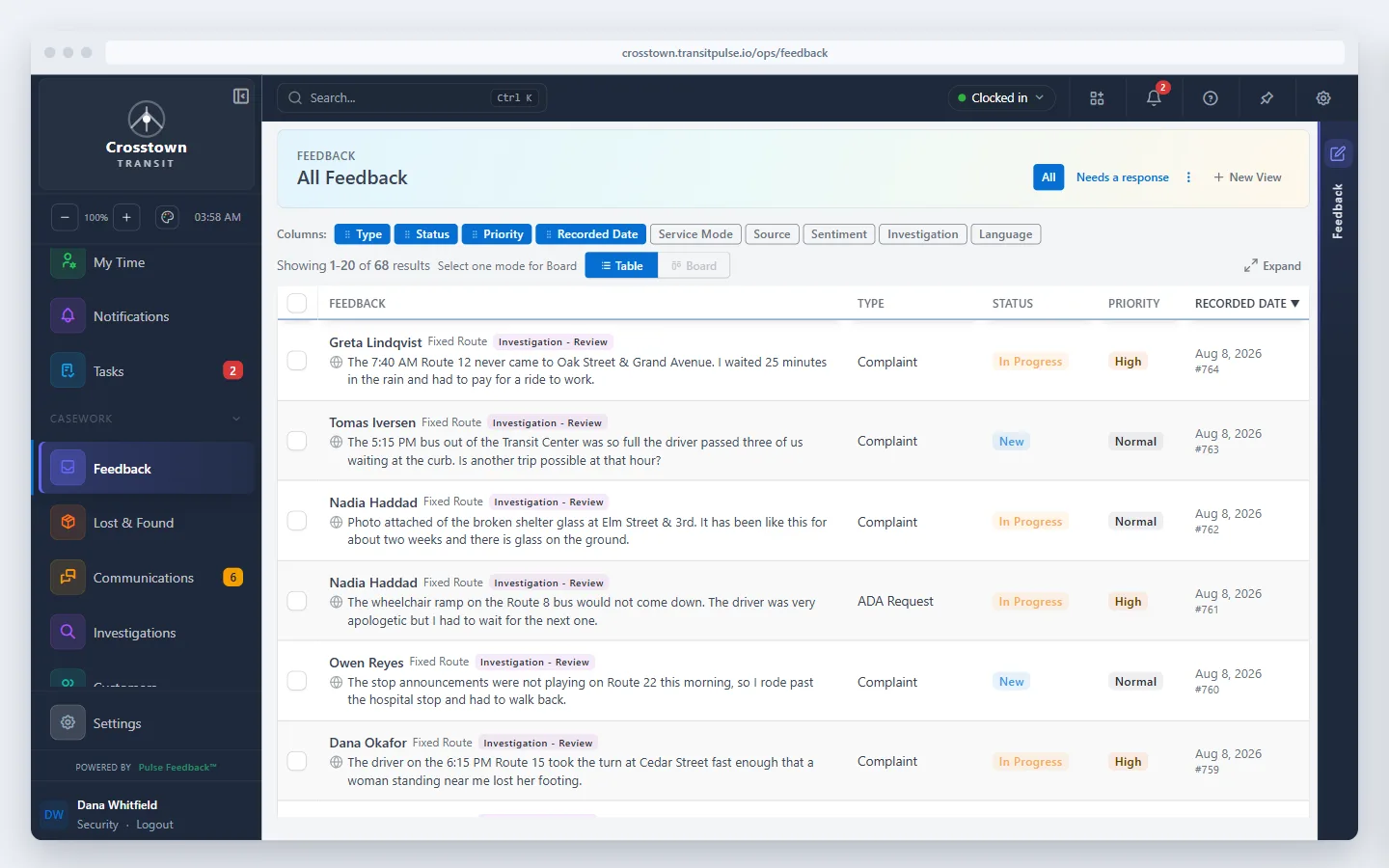
Intake
Every channel in one queue
Submissions from the portal, phone calls, the AI voice agent, and your customer service mailbox all appear in the same queue.
- An ADA request follows a different process than a commendation. Each type has its own fields and workflow, so the right steps happen without staff having to remember them
- Nothing sits unowned. Every submission is assigned to a person with a deadline the moment it arrives
- Your team sets up the queue the way they work, without filing a change request with us
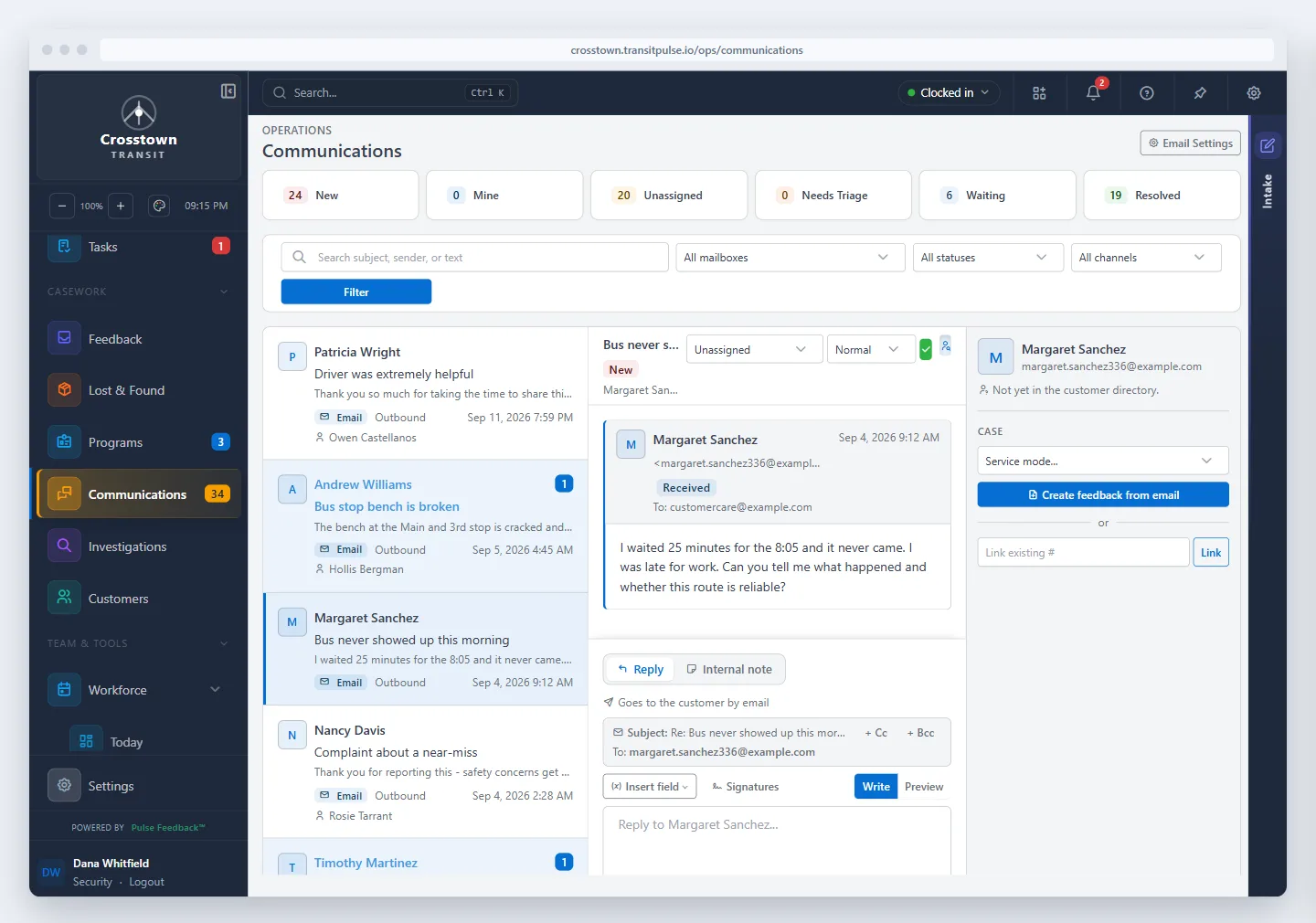
Emails become tracked cases
Connect the customer service mailbox riders already write to. No forwarding rules, and no retyping complaints into a second system.
- Emails to your customer service address show up in the same queue as everything else. Nobody has to watch a mailbox
- One click turns an email into a tracked case with an owner and a deadline, so emailed complaints get the same follow-through as everything else
- Staff reply from the case itself and the whole thread stays with it. No digging through Outlook for what was said
Supervision
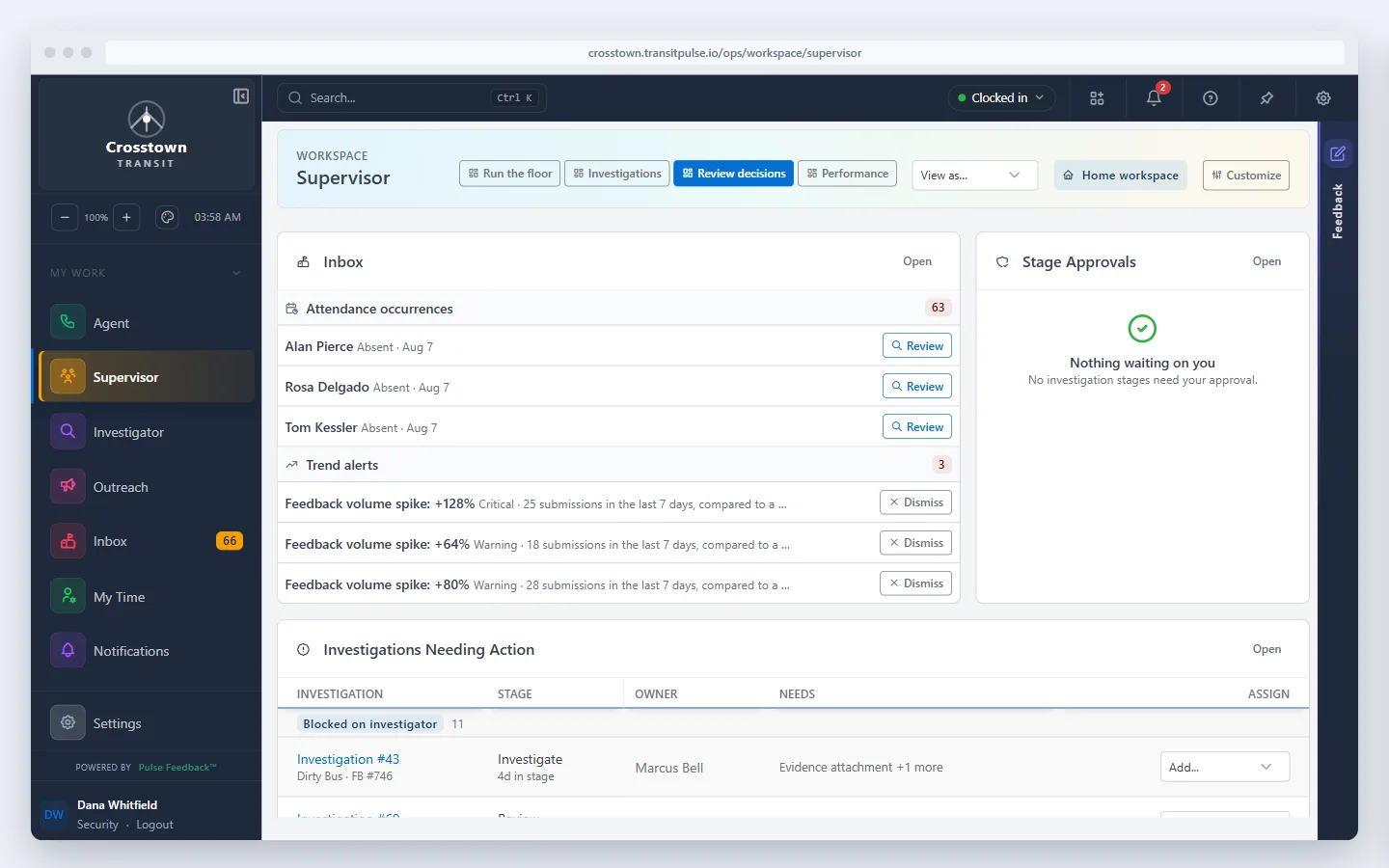
Supervisors see what needs attention first
- Stalled investigations show who is holding them up, so supervisors chase the right person instead of asking around
- A spike in complaints about one route or one driver is flagged automatically, not discovered in a quarterly report
- Each role sees only its own work. Investigators are not wading through call logs
Lost and found
Lost and found matching
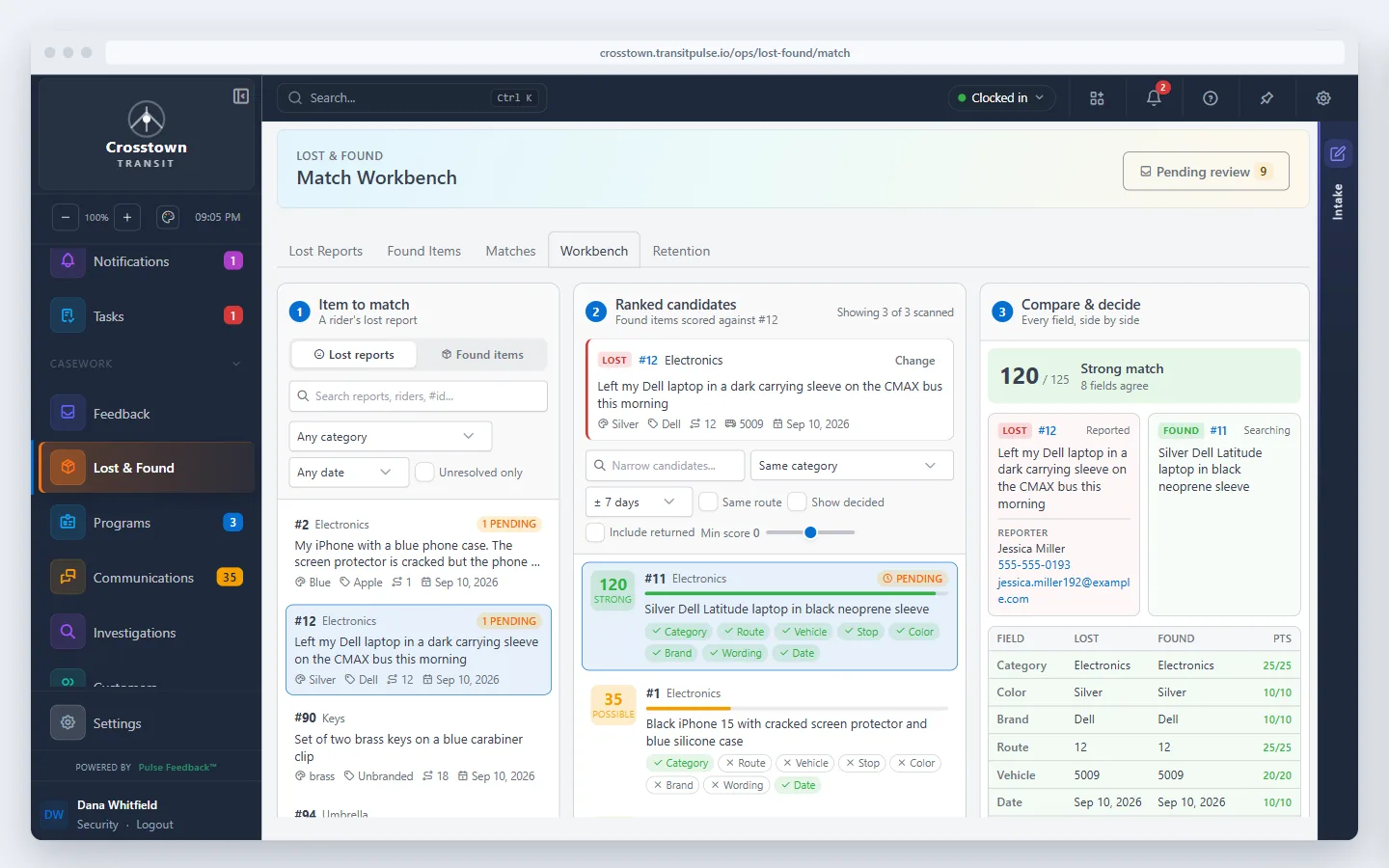
Riders report lost items. Drivers and staff log found items. Our Feedback software compares the two, so nobody searches the bins by hand.
- Every found item is scored against every open lost report automatically. Staff review the top matches instead of reading every report
- Matches items even when the descriptions differ, like a rider's "dark carrying sleeve" and a driver's "black neoprene sleeve"
- More items get back to riders, and less staff time goes into looking
What your contact center sees
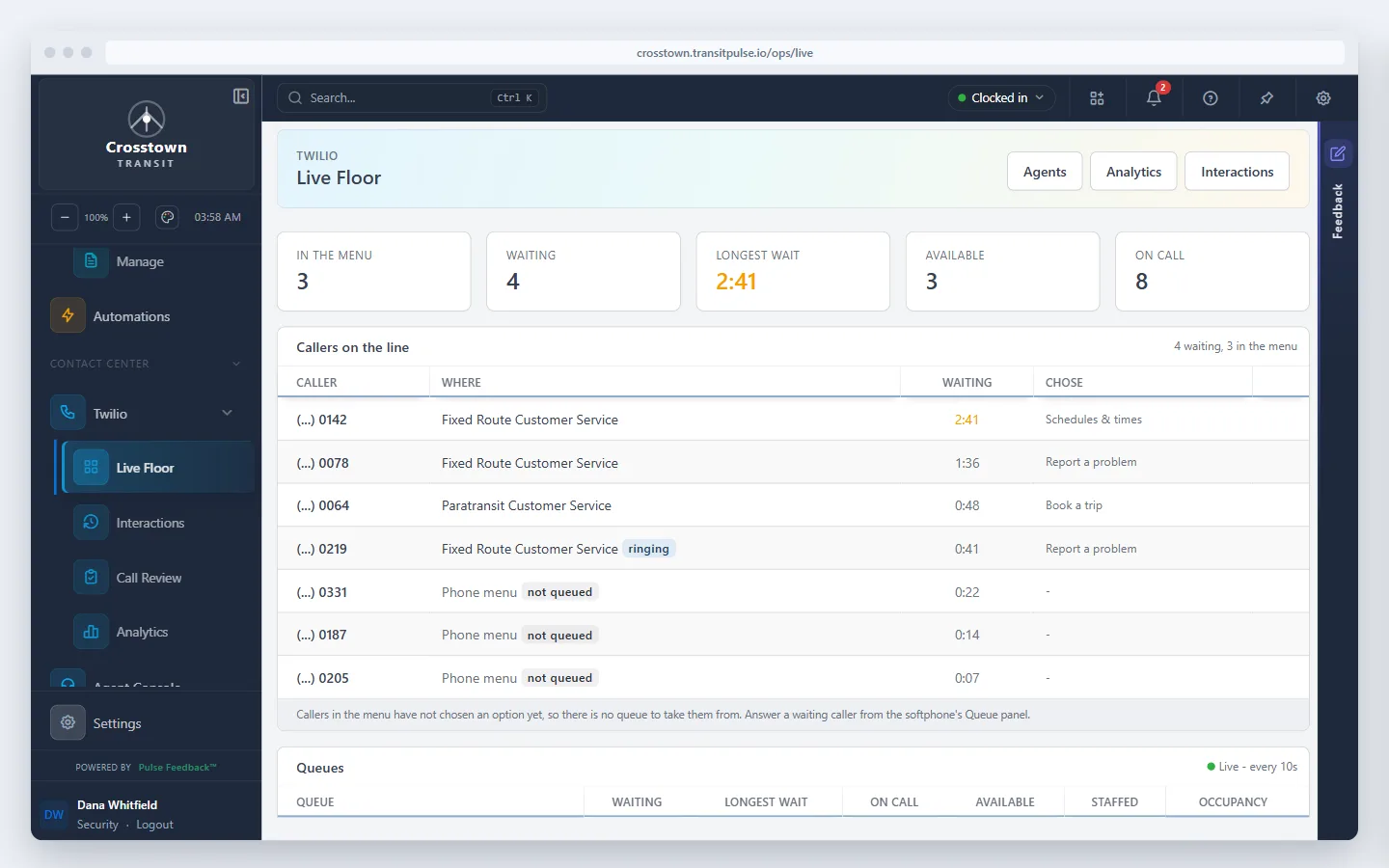
Phone calls are tracked in the same system as the feedback they produce.
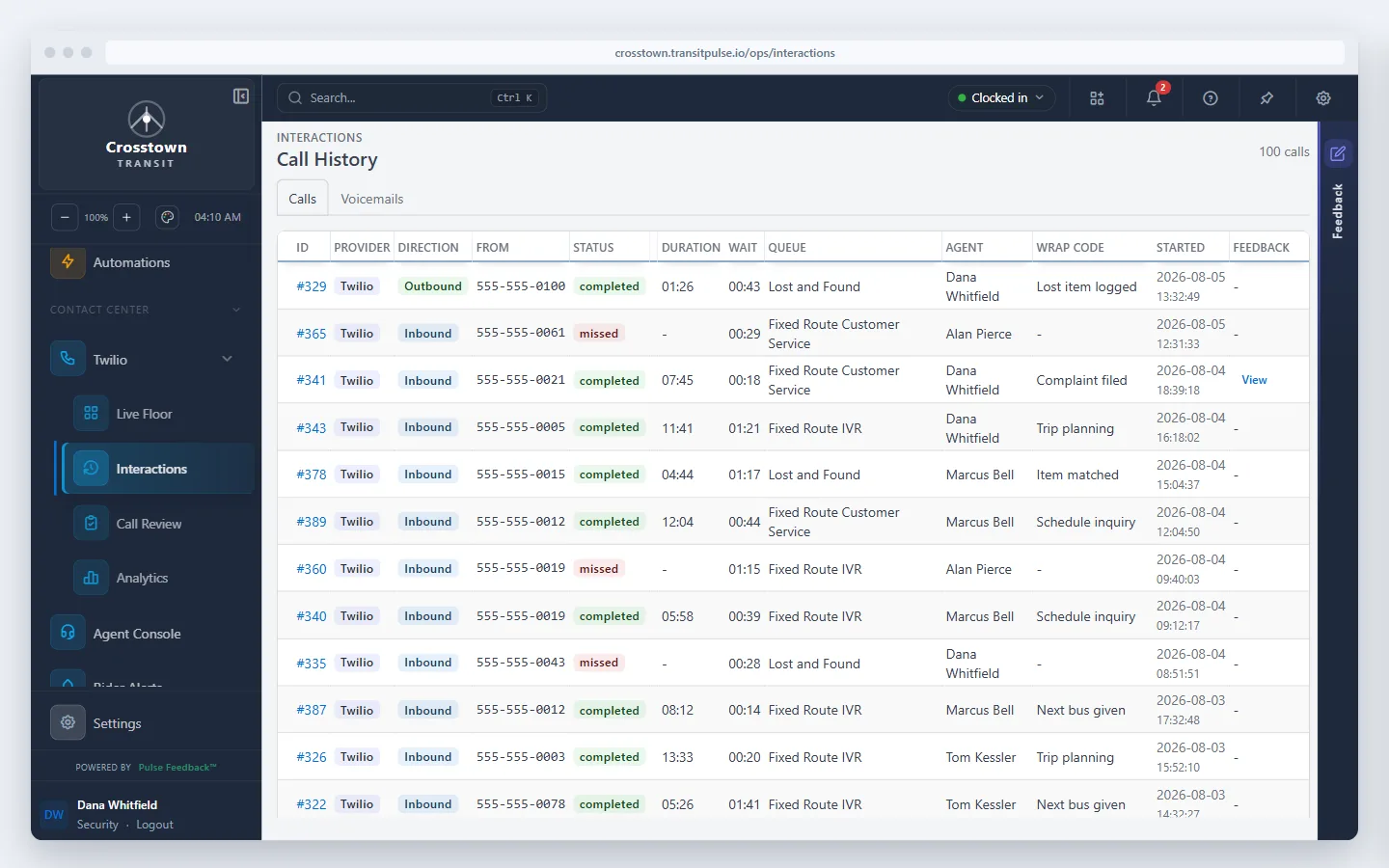
Crosstown Transit is a fictional agency used for demonstration.
Features
Rider Portal
A public site under your agency's own name and colors where riders get answers and report problems without calling. Call volume goes down, and the calls left are the ones that need a person. Available in multiple languages.
Live Chat
Riders who prefer typing get help from the same agents who take calls. No separate chat vendor, no separate team, and the transcript stays on the case.
Multi-Channel Intake
Web forms, phone, AI voice agents, and email all go into one queue. Nobody retypes an email or a voicemail into the system.
Contact Center Integration
Keep the contact center you already have. Calls, queues, agent status, and supervisor dashboards connect to Feedback, so a call and the complaint it produced are one record instead of two.
AI-Powered Processing
Submissions are categorized and key details filled in automatically, so staff spend their time responding instead of sorting. An AI voice agent takes feedback by phone around the clock.
Feedback & Case Management
Complaints, commendations, inquiries, and ADA requests, each with its own fields and process. Routing and auto-assignment send cases to the right person without a dispatcher.
Investigation Management
Investigations involving several people stay on track. Each stage has an owner, evidence is attached to the case, and related investigations are linked so patterns are visible.
Lost and Found
Lost reports and found items are matched automatically, so more items get back to riders with less staff time.
SLA Tracking
Set response and resolution targets. Cases at risk of missing them are flagged before the deadline, and adherence reporting is ready when the board asks.
Reporting & Analytics
Standard reports, a custom report builder, period comparison, and CSAT surveys. Answer "how are we doing on complaints this quarter" without exporting to Excel.
Integrations
Salesforce sync for cases, contacts, and custom objects. Microsoft 365 for email ingestion and SSO. Your contact center platform for telephony.
Self-Service Configuration
Add fields, adjust workflows, and configure routing yourself, without waiting on a vendor.
Pair Feedback with our AI rider-support agent.
RideInfo answers "where's my ride?" calls, texts, and chats 24/7 using your GTFS data, and sends anything that needs a person to your team in our Feedback software.