Riders never see your GTFS feed. They see what other systems build from it: trip planners, map apps, arrival signs, and now AI agents that answer the phone. When the feed is wrong, every one of those systems repeats the mistake with confidence. The five problems below come up again and again. None is exotic, and each one is easy to test for once you know where to look.
1. Stop names that do not match the sign
The feed says "Main St & 5th Ave NB FS". The pole says "Main & Fifth". Riders call it "the stop in front of the library". All three refer to the same place, but a system that reads the feed only knows the first one.
What the rider hears or sees
A trip planner shows a name the rider does not recognize, so they are not sure they are at the right stop. A voice agent reads "N-B-F-S" aloud, or fails to match "the library stop" to anything. When a rider texts the number on the pole and the system expects a different number, they get no answer at all.
How to check for it
- Pull a sample of stop_name values and compare them with photos of the actual signs.
- Check that stop_code in stops.txt holds the number printed on the sign. The GTFS spec defines stop_code as the rider-facing identifier. Many phone and text systems look up stops by it.
- Search for abbreviations and internal suffixes like "NB", "FS", or "OPP" in names. If you need them for internal use, consider the optional tts_stop_name field for a spoken version.
- Ask your call takers which stop names riders use most. Landmarks and old names often come up.
2. Service alerts that are missing or stale
Many agencies post a detour on the website and social media, but never enter it in the GTFS-RT service alerts feed. Others enter an alert and never end it.
What the rider hears or sees
A missing alert means the app, the sign, and the phone agent all say the bus is coming to a stop it is detouring around. The rider waits at a closed stop. A stale alert is the reverse. The rider hears about a detour that ended last month, and walks three blocks for nothing. After that, they stop trusting any alert.
How to check for it
- Compare the alerts in your feed with the alerts on your website on the same day. They should match.
- List every active alert and its active_period. Look for alerts with no end time that should have one.
- Check informed_entity on each alert. An alert tied to the whole agency when it affects one route will show up for every rider on every route.
- Make "update the alert feed" a written step in your detour procedure, with a named owner.
3. Trips without real-time matches
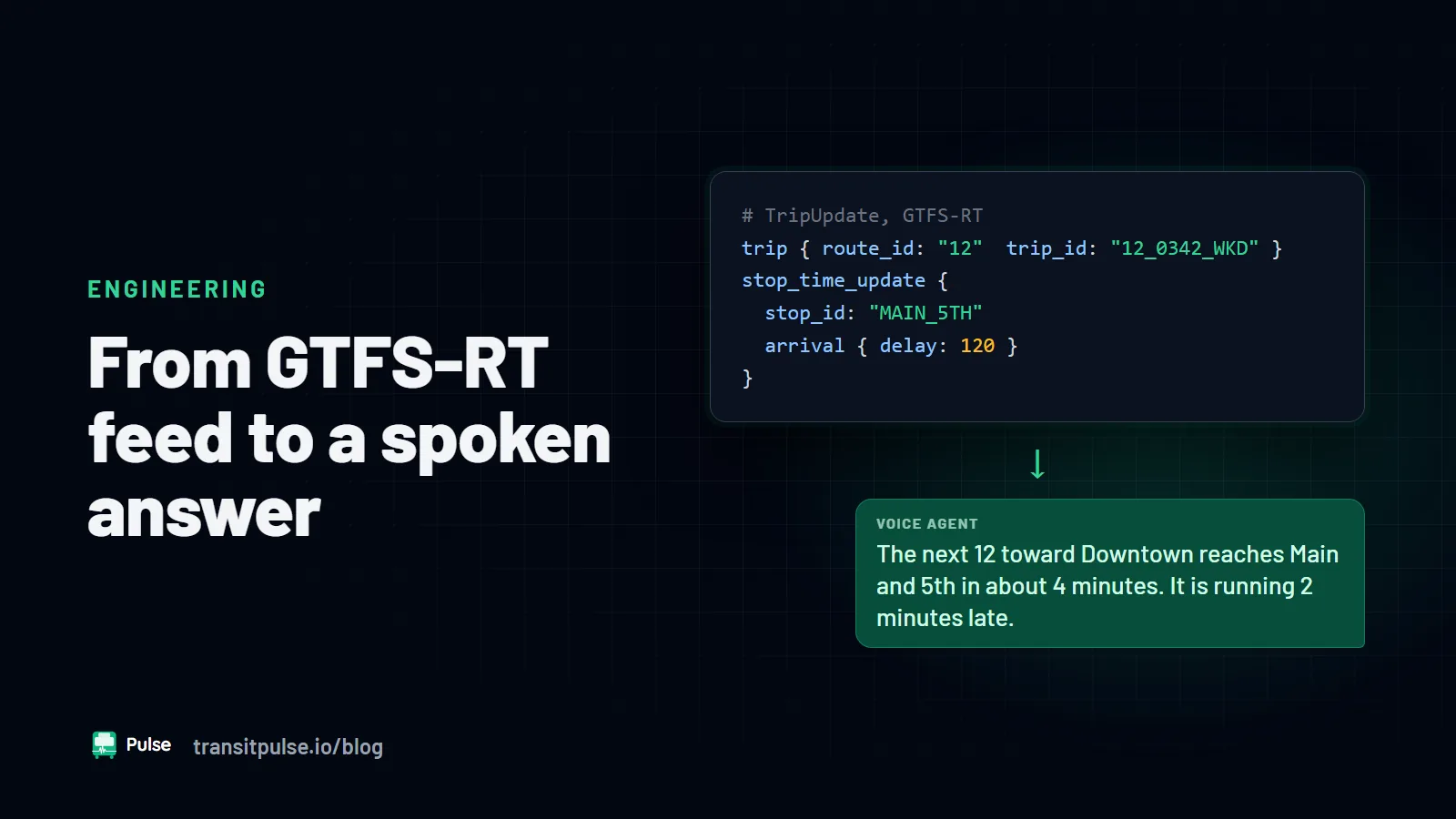
A trip update in GTFS-RT names a trip_id. That ID must exist in the static feed for the current service day. If your CAD/AVL system and your scheduling export assign IDs in different ways, the real-time data points at trips that do not exist.
What the rider hears or sees
The rider gets the scheduled time, not the predicted time, even though the bus is running late. The app may show the trip with no real-time icon. A voice agent tells them the bus is due in two minutes when it is ten minutes out. From the rider's side, real time looks broken, even though the vehicles report their positions correctly.
How to check for it
- Pull a snapshot of the trip updates feed. Compare every trip_id in it with trips.txt and the active service calendar for today. Count the misses.
- Repeat the check the day after a new schedule goes live. That is when IDs most often change.
- If you publish vehicle positions and trip updates as separate feeds, check that the trip and vehicle IDs pair up the same way in both. The GTFS Realtime Best Practices call for this.
- Run the MobilityData GTFS Realtime Validator against your feeds. It flags trip IDs that do not appear in the static feed.
4. Calendar exceptions not published
A holiday runs on a Sunday schedule. A long planned detour moves a route for six weeks. If the static feed does not say so, every system assumes normal weekday service.
What the rider hears or sees
On the holiday, the trip planner shows weekday trips that will not run. A rider asks the phone agent for the next bus and hears a time for a trip that is not in service. During a planned detour, the planner routes riders to stops the bus no longer serves.
How to check for it
- List your agency's service holidays. For each one, check calendar_dates.txt for a removal (exception_type 2) of the normal service and an addition (exception_type 1) of the holiday service.
- Check feed_end_date in feed_info.txt and the end dates in calendar.txt. A feed that expires before the next one is published leaves a gap with no service at all.
- For planned detours that run more than a few days, publish a static feed that reflects the new routing. A service alert alone tells riders about the detour, but trip planners still use the old stops.
- Look at the feed in a trip planner on the holiday itself, from a rider's point of view.
5. Headsigns that do not match the bus
The feed says trip_headsign "Route 7 Outbound". The bus says "7 University". Or a short-turn trip ends at the garage, and the feed still lists the full-line destination.
What the rider hears or sees
The rider is told to take the 7 toward "Outbound" and has no idea which side of the street that is. Or they board a bus that the feed says goes to the end of the line, and it ends halfway. For a rider who cannot read the sign, the spoken headsign is the only clue they have.
How to check for it
- Export every distinct trip_headsign per route and direction. Compare the list with the destination sign codes your operators use.
- Look for words like "Inbound", "Outbound", "Loop", or internal codes. Riders do not use them.
- Check short-turn and branch trips on their own. Each should carry its real last stop.
- Where the headsign changes along a trip, use stop_headsign in stop_times.txt for those stops.
Making the checks routine
Most of these checks are quick once you have a script or a validator in place. Run them when a new schedule is published, before each holiday, and whenever a call taker reports that "the app said something different". The MobilityData GTFS Validator covers the static feed. Your call center is a second validator you already have. Their complaints often point straight at a data problem.
For how an AI voice agent uses these feeds step by step, see How GTFS-RT Turns Real-Time Transit Data Into Voice Answers.
Pulse RideInfo answers rider calls, texts, and chats from your GTFS and GTFS-RT feeds, so clean data leads directly to better answers. If you want to talk through how your feed would read on the phone, contact us.